

How to compress a signature or photo to 20 KB
- Prepare: sign in black or dark-blue ink on plain white paper, photograph it flat in daylight, and crop close around the signature (any photo editor or our resolution changer).
- Open: drop the image on the box above or tap Choose images — a JPG, PNG or iPhone HEIC is fine.
- Check: 20 KB is preselected. Look at the size, pixels and quality under the preview; drag the divider to compare with the original.
- Download the JPG. If the form also needs exact pixels (for example 140×60), set them in the resolution changer first and compress again.
Why 20 KB images are small in pixels — and how to keep them readable
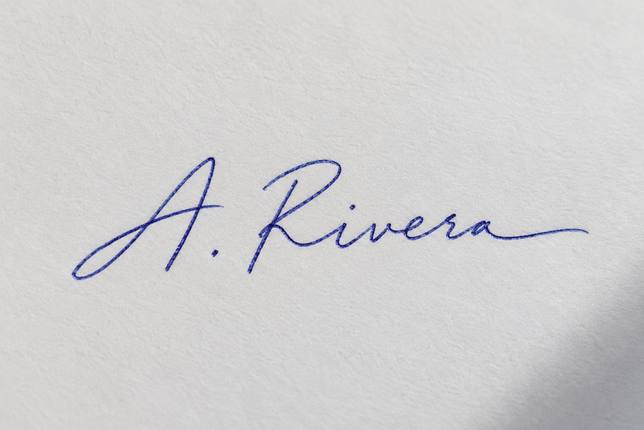
20 KB is 20,000 bytes. A 12-megapixel phone photo at decent quality needs about 3,000,000, so it has to lose more than 99% of its data. Lowering JPEG quality alone can't do that without turning the image into blocks; at quality 30 a full-size photo is still several hundred KB. So the tool works the other way round: it keeps quality around 70 and reduces the pixel count until the file fits. In our tests a 1024×1536 headshot landed at 423×634 px, quality 71, 19.9 KB; a signature on textured paper at 644×430, quality 72. That is more than most forms need — common exam specs ask for a signature of about 140×60 px and a photo of about 200×230 px. Two things buy sharpness at 20 KB: cropping away empty background before compressing, so the pixels go to the face or the ink, and a plain, evenly lit background, because paper grain and shadows cost bytes.
Typical 20 KB limits on application forms
| Upload | Common size range | Common pixel size |
|---|---|---|
| Signature (bank and government recruitment exams) | 10–20 KB | ≈140×60 px |
| Passport-style photo (same forms) | 20–50 KB | ≈200×230 px |
| Left thumb impression | 20–50 KB | ≈240×240 px |
| Signature on university and scholarship portals | Up to 20–30 KB | Varies |
These are the ranges commonly printed in Indian bank and staff-selection exam notices (IBPS, SBI, SSC and others) and similar portals. Requirements change between notifications — always check the one for your exam. If there's a minimum (10 KB, 20 KB), make sure the result is above it; the tool fills the target as closely as it can.
Getting a clean 20 KB signature
- Use a thick dark pen on white paper; thin ballpoint lines vanish when the image is small.
- Shoot straight down in daylight, without your phone's shadow, filling the frame with the signature.
- Crop tight: leave only a small margin around the ink. A wide sheet of paper wastes most of the 20 KB on grain.
- Compress to 20 KB here. If it comes out smaller in pixels than the form asks, that's fine for most portals; if the form insists on exact dimensions, resize first, then compress.
20 KB vs 50 KB vs 100 KB
| Target | Headshot result (from 1024×1536) | Best for |
|---|---|---|
| 20 KB | 423×634 px, quality 71 | Signatures, thumb impressions, exam photos |
| 50 KB | 669×1003 px, quality 73 | Application and ID photos |
| 100 KB | 1024×1536 kept, quality 67 | General form uploads |
Frequently asked questions
How do I compress an image to 20 KB?
Open it on this page — 20 KB is already selected — and download the result. It's guaranteed to be at most 20,000 bytes.
How do I reduce a signature to 20 KB?
Photograph it on plain white paper, crop close around the ink, then open it here. A cropped signature at 20 KB stays sharp and easy to read.
Why are the pixels reduced?
A full-size phone photo can't fit in 20 KB without turning blocky, so the tool keeps quality around 70 and makes the image smaller instead. Forms that take 20 KB files usually want small images anyway.
My form needs the photo between 10 and 20 KB. Will it work?
Yes — the result is just under 20 KB, well above 10 KB. If a file ends up below a minimum, pick a larger target such as 25 KB by typing it in.
Does it work on a phone?
Yes. Open the page in your phone's browser, choose the photo from your gallery (HEIC is fine) and download the JPG.
Is my signature uploaded anywhere?
No. The compression runs entirely in your browser; your signature never leaves your device.
Updated · By the imagetojpg.app team