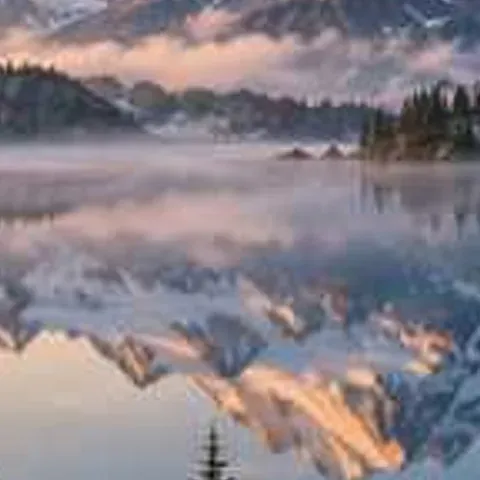
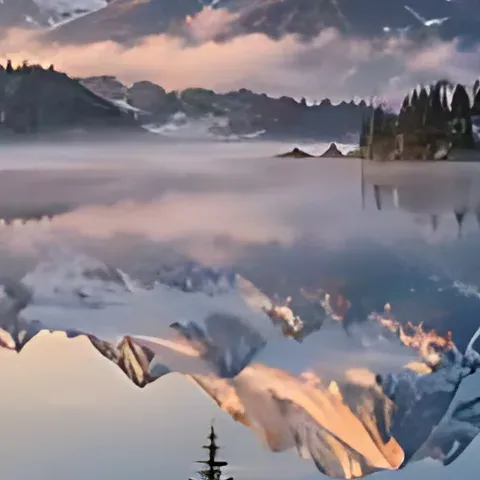
How to upscale an image to 4K
- Open the picture: drop it on the tool, tap Choose images, or paste. JPG, PNG, WebP and HEIC work.
- Keep Output size on 4K (3840 px long side). Or pick 2× / 4× instead.
- Press Upscale image. The model downloads once (4.9 MB) and runs on your device.
- Zoom 100% to inspect the pixels, then Download, or Download all as a ZIP.
What makes a good 4K upscale
4K UHD is 3840×2160 pixels — 8.3 million. Stretching a 1280×720 HD image to that size with normal resizing gives a soft, smeared picture, because every original pixel just becomes a 3×3 blur. An AI upscaler instead predicts the missing detail. This page runs Real-ESRGAN (general-x4v3) in your browser: the image (up to 1024 px on its long side on a GPU) is enlarged 4× with rebuilt edges, texture and clean gradients, then resized exactly to 3840 px on the long side. For a 16:9 source that's 3840×2160, ready for a 4K TV, monitor wallpaper or slideshow. Portrait and square pictures get 3840 px on their long side. Starting from at least ~960 px gives the most natural 4K result; from a tiny image the AI fills in more and the result looks more painted. The output keeps your file's format, and PNG transparency is preserved.
Facts at a glance
| Question | Answer |
|---|---|
| Price | 100% free, unlimited — there is no paid plan, credits or daily cap |
| Sign-up | Not needed — no account, no email |
| Watermark | None, on every download |
| Upload | None — images are processed on your device and never sent to a server |
| AI model | Real-ESRGAN general-x4v3 (BSD-3 licence, 4.9 MB, downloaded once and cached) |
| Runs on | WebGPU in Chrome, Edge and Safari; falls back to WebAssembly (CPU) elsewhere |
| Modes | Enhance (clean + sharpen), Unblur (Light / Medium / Strong), Upscale (2×, 4×, 4K) |
| Output size | 2× or 4×, or 4K = 3840 px on the long side (3840×2160 for 16:9); max 4096 px |
| Large originals | Fed to the model at up to 1024 px (GPU) or 640 px (CPU) on the long side, then enlarged 4× |
| Formats | JPG, PNG, WebP and iPhone HEIC in; JPG, PNG or WebP out (HEIC becomes JPG), PNG transparency kept |
| Batch | Yes — add many images, download one by one or as a ZIP |
| Limits | Speed depends on your device; detail that was never captured can't be recovered, only redrawn |
From common sizes to 4K
| Your image | Becomes | Quality |
|---|---|---|
| 1920×1080 (Full HD) | 3840×2160 | Excellent — natural detail |
| 1280×720 (HD) | 3840×2160 | Very good — crisp edges |
| 960×540 | 3840×2160 | Good — clean, slightly smoother texture |
| 640×360 | 3840×2160 | Fair — sharp edges, painted-looking texture |
| 1080×1350 (Instagram portrait) | 3072×3840 | Very good |
4K upscalers compared
| Feature | This page | Typical 4K upscalers |
|---|---|---|
| 4K output free | Yes, unlimited | Usually a paid feature |
| Upload | None — runs on your device | Uploaded to their server |
| Watermark | None | Common on free tiers |
| Exact 3840 px long side | Yes | Often a 4× multiplier only |
| Batch + ZIP | Yes | Usually paid |
Frequently asked questions
Can I turn a 500×500 image into a 4K wallpaper?
You can upscale it to 3840×3840 here (4K preset, sharp AI detail). A square picture isn't 16:9, so for a 3840×2160 wallpaper crop it to 16:9 first. From 500 px the AI fills in a lot, so expect a slightly painted look.
What are the best free websites to upscale images to 4K without watermarks?
Look for four things: a real 3840 px output, no watermark, no sign-up and clear limits. This page meets all four, free and unlimited, and runs in your browser so nothing is uploaded.
How do I upscale an image to 4K for free?
Open it on this page and press Upscale image with the 4K preset. You get a 3840 px wide (or tall) image with AI-sharpened detail, free and without a watermark.
What resolution is 4K?
4K UHD is 3840×2160 pixels. This tool makes the long side 3840 px, so 16:9 pictures become exactly 3840×2160.
Can I make a 4K wallpaper from a small picture?
Yes. Results are best from 960 px or larger; smaller sources still come out sharp but look more painted.
Is the 4K upscale uploaded anywhere?
No. The AI runs in your browser and your images stay on your device.
Can it go beyond 4K?
The 4× option goes up to 4096 px on the long side (DCI 4K width). Larger outputs are limited to keep phones and browsers stable.
Does it work for anime and illustrations?
Yes. Clean lines and flat colours upscale especially well.
Updated · By the imagetojpg.app team