imagetojpg.app
Tools

GIF Resizer

Change the size of an animated GIF and keep every frame moving: scale by percent, type an exact width and height, or crop it to a square for an emoji, sticker or profile picture. Resize a whole batch with the same settings — in your browser, with nothing uploaded.

or drop / paste · many at once
Original
Resized
Resize by
Scale 50%
Processed in your browser · never uploaded · no size cap, no sign-up, no watermark

In short

Choose GIFs above and pick a scale (25%, 50%, 75%, 150%, 200% or any value from 5 to 300%), or switch to width × height and type the pixels you need, with proportions locked or free. One tap gives 128 × 128 for a Discord or Slack emoji or 512 × 512 for a sticker, centre-cropped to a square. Frame timing, loop and transparency are kept. Each GIF is shrunk by averaging pixels, so it stays sharp instead of jagged. Free, no sign-up, no upload.

Three GIFs resized with this tool

Real downloads from this tool. Left is the first frame of the GIF that went in; right is the file that came out, playing.

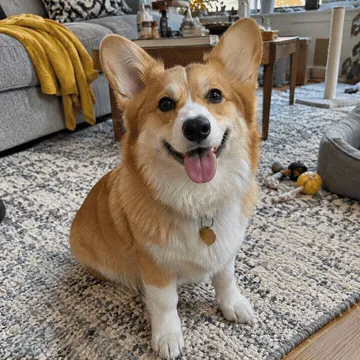
Discord / Slack emoji: first frame of the original GIFBefore
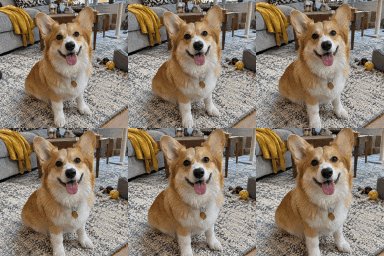
Discord / Slack emoji: resized resultResized

Discord / Slack emoji

128 · emoji (square crop)

In
2.96 MB · 360 × 360
Out
210 KB · 128 × 128, all 28 frames

Small enough for most custom-emoji limits without a separate compress step.

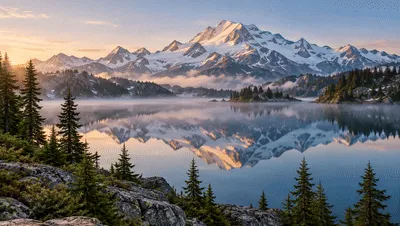
Half width for a blog post: first frame of the original GIFBefore
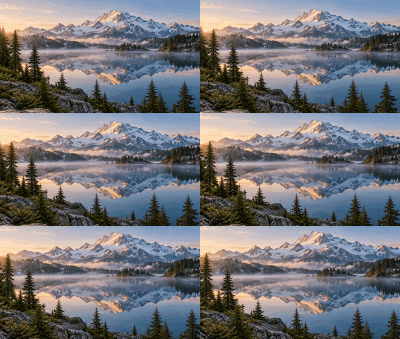
Half width for a blog post: resized resultResized

Half width for a blog post

Width × height · 200 px wide, proportions kept

In
2.30 MB · 400 × 226
Out
573 KB · 200 × 113 (−75%)

Shrinking averages pixels, so the UI text and edges stay smooth instead of jagged.

Transparent sticker: first frame of the original GIFBefore
Transparent sticker: resized resultResized

Transparent sticker

512 · sticker

In
533 KB · 360 × 360
Out
627 KB · 512 × 512

Transparency is kept. Enlarging makes the file bigger — that's expected for more pixels.

How to resize a GIF

  1. Choose, drop or paste one or more GIFs. A sample loads first.
  2. Resize by Percentage with the slider and chips, or by Width × height with exact pixels. Untick “Keep proportions” to stretch to an exact shape.
  3. For an emoji, sticker or avatar, tap 128 · emoji or 512 · sticker, or tick “Crop to a square”.
  4. Check the resized GIF playing next to the original, then Download GIF — or all of them as a ZIP.

How resizing an animated GIF works

An animated GIF is really a stack of pictures with a display time for each. Many GIFs only store the part of each frame that changed, so resizing them one layer at a time breaks the animation. This resizer first rebuilds every complete frame exactly as a browser would show it, then scales all frames to the new size. When a GIF gets smaller, each new pixel is the average of the original pixels it covers — transparent pixels are left out of the average — so edges stay smooth and thin lines don't vanish. When it gets bigger, pixels are blended between their neighbours (bilinear), which looks softer than blocky nearest-neighbour. The frames are then turned back into a GIF with one shared 256-colour palette, the original delays and the original loop setting. Cropping to a square cuts equally from both sides of the longer edge before scaling. It all happens in your browser, so the GIF is never uploaded.

Facts at a glance

QuestionAnswer
PriceFree — no watermark
Sign-upNot needed
UploadNone — resized in your browser
Resize byPercent (5–300%) or exact width × height, proportions locked or free
Presets128 × 128 emoji, 512 × 512 sticker (both centre-cropped), 480 and 800 px wide
CropCentre-crop to a square
BatchYes — same settings for every GIF, ZIP download
KeptAll frames, frame timing, loop count, transparency
QualityPixel averaging when shrinking, bilinear when enlarging

Common GIF sizes

UseSize to pickTip
Discord or Slack custom emoji128 × 128 (square)Emoji files have small size limits — run the GIF compressor after resizing if it's too big
Telegram or WhatsApp-style sticker512 × 512 (square)Leave space around the subject before cropping
Forum or blog post480 px wideSmall enough to load fast on phones
Presentation or website banner800 px wideLarger sizes grow the file quickly
Make a big GIF lighter50%Half the width is a quarter of the pixels, and roughly a quarter of the file

GIF resizers compared

FeatureThis pageezgifGIFGIFsRedKetchup
Where the GIF is processedIn your browser — never uploadedUploaded by default; “Local processing” tick boxNot statedNot stated
File size limitNo fixed cap200 MB50 MBNot stated
Percent and exact pixelsYesYesYesYes
Emoji / sticker presetsYes, with square cropNoNoNo
CropCentre squareSeparate toolNoFree crop
Batch + ZIPYesNoNoNo
Preview before downloadSide by side, both playingAfter uploadNoYes

Competitor details are as shown on their own pages on 5 November 2026; tools change, so check before you rely on a feature.

Good to know

  • Enlarging a small GIF can't add detail; it gets softer. For crisp pixel-art GIFs, enlarge by whole numbers (200%, 300%).
  • A bigger GIF is a bigger file — doubling the width makes it about four times larger.
  • Resizing keeps the GIF's own frame timing; to change speed use the GIF speed changer.

Frequently asked questions

How do I resize a GIF without losing the animation?

Choose the GIF here, set a percentage or a width and height, and download. Every frame is rebuilt and resized, and the original delays and loop are kept, so it plays exactly as before.

How do I make a GIF 128 × 128 for a Discord or Slack emoji?

Tap “128 · emoji”. The GIF is centre-cropped to a square and scaled to 128 × 128. If the file is still above the platform's emoji limit, run it through the GIF compressor with a target size.

Can I resize a GIF to an exact width and height?

Yes. Choose Width × height, untick “Keep proportions” and type both numbers. Leave it ticked to set only the width and keep the shape.

Does resizing a GIF reduce the file size?

Yes, shrinking does: 50% removes three quarters of the pixels, so the file usually drops by 60–80%. Enlarging makes the file bigger.

Is my GIF uploaded?

No. Resizing happens in your browser, so the GIF never leaves your device.

Can I resize several GIFs at once?

Yes. Choose or drop many GIFs; the same size is applied to each, and you can download them all as one ZIP.

Will a transparent GIF stay transparent?

Yes. Transparent areas stay transparent, and transparent pixels aren't mixed into the edge colours when shrinking.

Why does my enlarged GIF look blurry?

Enlarging has to invent pixels, so it blends neighbours. Use whole multiples like 200% and start from the largest original you have.

Does it work on a phone?

Yes, in Safari and Chrome on iPhone and Android.

Updated · By the imagetojpg.app team

More free tools

Image to JPGAny format — HEIC, AVIF, PNG, WebP, GIF, BMP — to JPG.HEIC to JPGiPhone photos to JPG that opens everywhere.HEIC to PNGLossless PNG from iPhone HEIC photos.AVIF to JPGSaved an .avif from the web? Make it a JPG.AVIF to PNGAVIF to PNG with transparency kept.HEIF to JPGSamsung Galaxy and camera .heif files to JPG.HEIC ConverterHEIC to JPG, PNG, WebP or PDF in one box — keep EXIF, drop GPS, no upload.PNG ConverterAny image to PNG, or PNG to JPG, WebP, PDF and multi-size ICO — no upload.WebP to PDFCombine WebP images into one PDF — reorder, A4/Letter, margins, no upload.PNG to PDFMerge many PNGs into one PDF with lossless, pixel-sharp pages — no upload.PNG to EPUBComics, picture books and scans to an EPUB e-book — cover, contents, no upload.Image to TextCopy the text out of any photo or screenshot — OCR on your device, 19 languages.Picture to WordExtract text from a photo or screenshot into an editable Word .docx — on your device.JPEG to JPG.jpeg, .jpe, .jfif → .jpg, lossless, in bulk. Optional EXIF removal.JFIF to JPGFix .jfif downloads — lossless, no re-compression.Compress JPGShrink JPGs to 100 KB, 200 KB or any size, with a before/after slider.Compress Image to KBMB to KB: any photo to 20, 50, 100 or 200 KB — exam forms, signatures.Resolution ChangerChange pixel size or DPI (72/150/300). Passport and Instagram presets.MP4 to JPGExtract JPG frames from MP4, MOV or WebM — video never uploaded.Image EnhancerAI sharpens detail and cleans JPEG blocks, 2× / 4× — free, no upload.Unblur ImageFix blurry photos, faces and text with AI — Light, Medium or Strong.Upscale ImageMake images bigger without blur: 2×, 4× or 4K, free, nothing uploaded.Free Image UpscalerAI upscale 2× or 4× with no credits, no sign-up, no watermark.4K Image UpscalerUpscale photos to 3840 px for 4K wallpapers, TVs and prints.Image to SVGPNG/JPG to SVG cut files for Cricut and Silhouette — colour layers, DXF, no upload.QR Code with LogoYour logo in the middle, scan-checked, PNG or SVG — static, never expires.WhatsApp Sticker MakerPhoto to 512×512 WebP sticker: background removed, white outline, text — no app.Sticker MakerPhoto to sticker: background removed, white outline, transparent PNG or A4 print sheet.Handwriting to FontFill in a template, snap a photo, download your handwriting as a TTF font.Image to Pixel ArtPhoto to pixel art: pixel size, retro palettes, dithering — PNG or SVG, no upload.GIF CompressorShrink animated GIFs by up to 90% or fit them under a target MB/KB — no upload.GIF to WebPAnimated GIF to animated WebP — usually far smaller, batch, no upload.GIF to APNGAnimated GIF to animated PNG with exact pixels and loop control.GIF Speed ChangerSpeed up, slow down, reverse or boomerang a GIF — lossless timing edits.Compress SVGSVGO optimizer that also repairs SVG code pasted from ChatGPT — presets, batch ZIP.SVG to DXFSVG to DXF in mm or inches for LightBurn, Silhouette and CAD — layers by colour.Gemini Watermark RemoverRemove the Nano Banana sparkle — exact pixels restored, no upload.PFP Collage Maker“Who is in the pfp of your apps” template — one labelled picture per app, 1:1 or 9:16.Movie Scene Collage3 photos as stacked widescreen movie stills — subtitles, grain, Pinterest & Story sizes.Image Text RemoverErase captions, date stamps and words — auto-detect, batch, no upload.Remove AI LabelsStrip C2PA, IPTC AI tags and prompts — pixels unchanged, no upload.AI Image DetectorIs this image AI? Reads Content Credentials, AI tags and prompts — no upload.Magic Wand ToolClick to select a colour area, then delete it or cut it out as a PNG.PNG Text GeneratorText to transparent PNG with gradient, outline, glow and 3D styles.Wallpaper GeneratorGradients, waves or your photo at your phone's or monitor's exact size.Color Picker from ImageClick any pixel for HEX, RGB and HSL, plus a palette.Passport Photo MakerUS, UK, EU, Canada, Australia sizes — checked JPG + 4×6 print sheet.Passport Size Photo3.5 × 4.5 cm photos: 32 on an A4 sheet or 8 on 4×6, free.US Visa & Passport Photo2x2 in / 600×600 JPG under 240 kB, checked — DS-160 and DV lottery.