How to unblur an image
- Open the blurry photo: drop it on the tool, tap Choose images, or paste it. JPG, PNG, WebP and HEIC work; add several for a batch.
- Pick the blur level: Light for slightly soft photos, Medium for missed focus, Strong for very blurry ones. For text, start with Light.
- Press Unblur image. The 4.9 MB AI model downloads once, then runs on your device.
- Drag the divider or press Zoom 100% to check the result. If it looks over-smoothed, try one level lower. Download, or get all as a ZIP.
How AI unblurring works
Blur spreads every sharp edge over several pixels. If a photo is 1000 px wide and the blur is about 3 px, shrinking it to 333 px makes the blur roughly 1 px — at that size the picture looks sharp again, it just has fewer pixels. This tool does exactly that, then hands the small, sharp version to Real-ESRGAN, a super-resolution model trained to rebuild realistic detail from small, degraded photos. It enlarges the image 4× with clean edges, and the result is resized back to your original size. The blur level you choose sets how far the photo is shrunk: Light ÷1.5, Medium ÷2, Strong ÷3. Pick too strong and fine texture gets simplified; too light and some softness remains — so it's worth trying two levels. It works best for focus blur, soft phone photos and faces. Text needs the gentlest setting: shrinking small letters too far makes the model redraw them, and a letter can change shape — so use Light for documents and check the words afterwards. A long motion streak (a car or hand moving fast) or a face that is only a blob can't be truly recovered by any tool; the model will produce a cleaner guess.
Facts at a glance
| Question | Answer |
|---|---|
| Price | 100% free, unlimited — there is no paid plan, credits or daily cap |
| Sign-up | Not needed — no account, no email |
| Watermark | None, on every download |
| Upload | None — images are processed on your device and never sent to a server |
| AI model | Real-ESRGAN general-x4v3 (BSD-3 licence, 4.9 MB, downloaded once and cached) |
| Runs on | WebGPU in Chrome, Edge and Safari; falls back to WebAssembly (CPU) elsewhere |
| Modes | Enhance (clean + sharpen), Unblur (Light / Medium / Strong), Upscale (2×, 4×, 4K) |
| Output size | 2× or 4×, or 4K = 3840 px on the long side (3840×2160 for 16:9); max 4096 px |
| Large originals | Fed to the model at up to 1024 px (GPU) or 640 px (CPU) on the long side, then enlarged 4× |
| Formats | JPG, PNG, WebP and iPhone HEIC in; JPG, PNG or WebP out (HEIC becomes JPG), PNG transparency kept |
| Batch | Yes — add many images, download one by one or as a ZIP |
| Limits | Speed depends on your device; detail that was never captured can't be recovered, only redrawn |
Which blur level to pick
| Your photo | Level | What happens |
|---|---|---|
| Slightly soft, phone photo in low light | Light | Edges tightened, almost all texture kept |
| Missed focus, soft portrait, blurry pet photo | Medium | Clear edges, finer texture simplified |
| Very blurry photo, zoomed crop | Strong | Sharp, clean shapes; small details redrawn |
| Blurry text, screenshot or scanned page | Light | Darker, crisper letters; check small words — the model can redraw a letter |
| Motion streaks from a fast-moving subject | Strong | Cleaner, but the streak shape stays |
Need it bigger too? Set Output size to 2× and the sharp version is also doubled in size.
Unblur tools compared
| Feature | This page | Typical online unblur tools |
|---|---|---|
| Uploads your photo | No — runs in your browser | Yes, to their server |
| Control over strength | Light / Medium / Strong | One button, no control |
| Free limit | None | A few credits a day |
| Sign-up to download | No | Often |
| Watermark | Never | Sometimes on free results |
| Batch + ZIP | Yes | Rarely free |
| Check at real pixels | Zoom 100% on the slider | Usually only a scaled preview |
Good to know
- Private photos (ID cards, documents, family pictures) stay on your device: the AI runs in the browser and nothing is uploaded.
- With WebGPU (recent Chrome, Edge, Safari) it takes a few seconds; on older devices it runs on the CPU and takes longer for big photos.
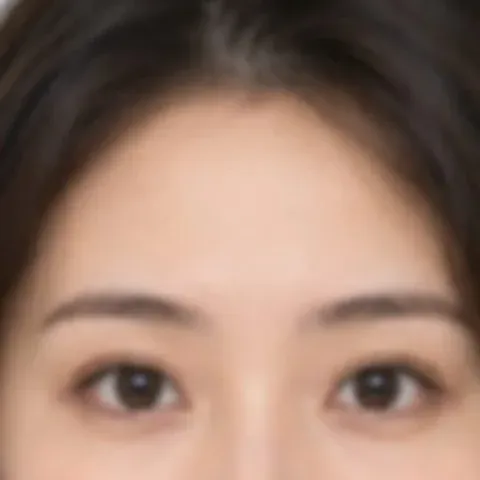
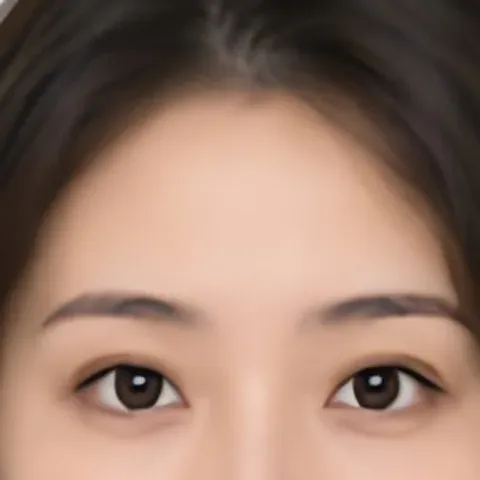
- Faces: soft faces get clearer eyes and outlines. A face only a few pixels across becomes a plausible face, not a restored identity — don't use the result as evidence.
- Licence plates and small text: use Light. It makes letters darker and crisper when they are still distinguishable in the original; stronger levels shrink letters so far that the model may redraw one as a different letter. If they're a smudge, no tool can read them back reliably.
Frequently asked questions
Can I depixelate an image online for free?
Mild pixelation, yes. Try Unblur Light or Medium, or the Image Enhancer for JPEG blockiness, and compare with the slider. Big mosaic blocks hide detail that no tool can bring back; the AI only redraws a plausible version.
How do I unblur an image for free?
Open it on this page, pick Light, Medium or Strong, and press Unblur image. It's free with no limit, no sign-up and no watermark.
Can I unblur a picture without uploading it?
Yes — that's how this page works. The AI model runs in your browser, so the photo never leaves your device.
How do I make a blurry picture clear on my phone?
Open this page in your phone's browser, choose the photo, pick a blur level and tap Unblur image, then Download. Works on iPhone (HEIC too) and Android.
Can it unblur text in an image?
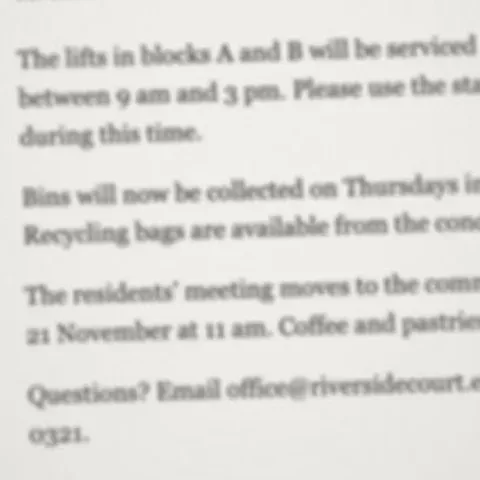
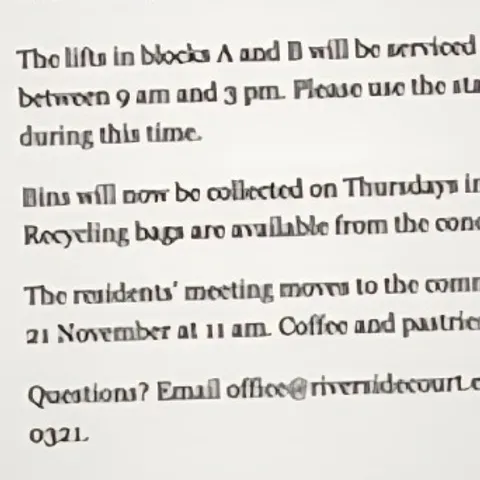
Yes — use the Light level. Blurry screenshots, scans and photos of documents come out darker and crisper as long as the letters were still distinguishable. Read the result before you rely on it: at stronger levels the model can redraw a small letter as a different one.
Can it unblur a face?
Soft faces get noticeably clearer. Very small or heavily blurred faces are redrawn as a plausible face rather than an exact restoration.
Does it work on motion blur?
It helps with slight shake. Long motion streaks can't be fully undone by any tool; Strong mode makes them cleaner.
Will the image get bigger?
By default it keeps the original size. Choose Output size 2× to also double the resolution.
Can I unblur several photos at once?
Yes. Add them all, press Unblur all, and download a ZIP.
Updated · By the imagetojpg.app team