



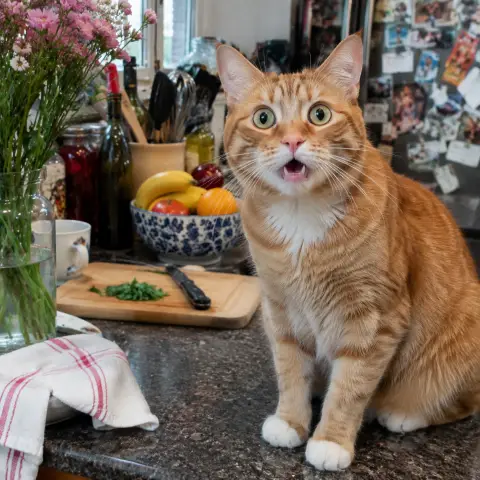

How to make a WhatsApp sticker from a photo
- Upload one or more photos (or drop or paste them). JPG, PNG, WebP and iPhone HEIC work. A clear subject — a face, a pet, an object — cuts out best.
- Keep Remove (AI) on to cut the subject out, or choose Plain background for a photo on a single-colour wall, or Keep whole picture for a rounded-corner photo sticker.
- Set the white outline (0–20 px) and soft shadow, and type a caption if you like — it sits in its own band above or below so it never covers the face.
- Press Download WebP (or Download all + tray icon for a pack). To use it: open WhatsApp Web or desktop → a chat → emoji icon → Stickers → Create (+) → choose the WebP → Send. It's saved to your stickers on your phone too.
What WhatsApp needs from a sticker file (and how this tool gets it right)
A WhatsApp sticker is a square WebP image with a transparent background. WhatsApp's sticker guidelines for developers ask for exactly 512 × 512 pixels, under 100 KB for a static sticker, with a 16 px margin around the art, and a 96 × 96 PNG tray icon for each pack. A regular photo fails every one of those, which is why phone apps exist to convert them. This page does the same in the browser. An AI segmentation model (U²-Net-P, 4.6 MB, Apache-2.0) finds the person, pet or object and turns everything else transparent; the cut-out is trimmed and centred inside the 16 px margin, the classic white outline is drawn around its silhouette, and a caption goes in a separate band so it doesn't hide the subject. The finished canvas is encoded as WebP, stepping quality down only until the file is under 100 KB. The model runs on your device, so photos of friends and kids stay private.
Facts at a glance
| Question | Answer |
|---|---|
| Price | Free and unlimited — no credits, no subscription |
| App or sign-up | Neither — works in Chrome, Safari, Edge and Firefox on phone or computer |
| Watermark | None |
| Upload | None — background removal runs on your device |
| Output | WebP, 512 × 512 px, transparent, under 100 KB, 16 px margin |
| Pack extras | Batch ZIP of numbered stickers plus tray.png (96 × 96) |
| Background | AI cut-out (U²-Net-P model, 4.6 MB, downloaded once and cached), plain-colour removal, or keep the whole photo with rounded corners |
| Style | White (or any colour) outline 0–20 px, soft shadow, bold caption top or bottom |
| Input | JPG, PNG, WebP, GIF, BMP, iPhone HEIC; many at once |
How to add the sticker to WhatsApp
| Where | Steps |
|---|---|
| WhatsApp Web / desktop (Windows, Mac) | Open a chat → emoji icon → Stickers → Create (+) → choose the .webp → Send. Once sent, tap it on your phone → Add to Favorites |
| Android | Send the sticker to yourself from WhatsApp Web, then long-press it → Add to Favorites. Or import the ZIP pack with a sticker-pack importer app |
| iPhone | Send it from WhatsApp Web or desktop and add it to Favorites; or on iOS 17+ copy the cut-out into WhatsApp's own sticker editor |
| Telegram / Signal | The same 512 × 512 WebP works: Telegram's @Stickers bot accepts 512 px WebP/PNG |
Tip: WhatsApp keeps any sticker you've sent or received. Add it to Favorites to find it quickly in every chat.
WhatsApp sticker makers compared
| Feature | This page | Sticker apps | Typical online editors |
|---|---|---|---|
| Install needed | No | Yes | No |
| Photo uploaded | No — on device | Depends on the app | Yes, to their server |
| Exact WhatsApp format (512 px WebP < 100 KB) | Yes, checked | Yes | Often PNG at another size; you resize and convert |
| White sticker outline | Yes | Yes | Sometimes |
| Caption | Yes | Yes | Yes |
| Many stickers + tray icon | Yes, ZIP | Yes | Rare |
| Watermark / account | No / no | Often on free tier / sometimes | Often sign-up to download |
Good to know
- The first AI cut-out downloads the 4.6 MB model once; after that it's cached and works offline. Each cut-out takes about a second on a recent phone or laptop.
- Hair, fur and see-through objects get a soft edge; the white outline hides most rough spots. For a photo on a plain wall, Plain background often gives a crisper edge.
- Only static stickers are made here. Animated WhatsApp stickers have different limits (500 KB, up to 10 seconds).
- Safari without WebP encoding support uses a built-in WebAssembly encoder, so the file is still a real WebP.
Frequently asked questions
How do I make a WhatsApp sticker from my own photo without an app?
Upload the photo on this page, keep Remove (AI) on, add an outline or caption and press Download WebP. Then in WhatsApp Web or desktop open a chat → emoji → Stickers → Create and choose the file. No app or account needed.
What size should a WhatsApp sticker be?
512 × 512 pixels, WebP format, under 100 KB for a static sticker, with a transparent background and about 16 px of margin. This tool outputs exactly that.
Does it remove the background automatically?
Yes. An AI model running in your browser cuts out the person, pet or object. You can also use Plain background for a photo on a single-colour wall, or keep the whole picture.
Are my photos uploaded?
No. The cut-out, outline and WebP encoding all happen on your device. Your photos are never sent to a server.
Can I add text to the sticker?
Yes. Type a caption and choose top or bottom and its colour. It gets a contrasting stroke so it's readable on any chat wallpaper.
Can I make a whole sticker pack?
Yes. Add several photos and press Download all + tray icon. You get numbered WebP stickers and a 96 × 96 tray.png in one ZIP — WhatsApp packs need at least 3 stickers.
How do I add the sticker on my phone?
Send it once from WhatsApp Web or desktop (Stickers → Create), then on your phone tap the sticker in the chat → Add to Favorites. It's available in every chat after that.
Does it work on iPhone?
Yes, in Safari or Chrome. HEIC photos work, and the WebP is created even where Safari can't encode WebP itself.
Is it really free?
Yes — unlimited, no sign-up and no watermark.
Updated · By the imagetojpg.app team