


imagetojpg.app
Tools

Free QR Code Generator with Logo

Put your logo in the middle of a QR code, pick colours and dot styles, and download a print-ready PNG or SVG. Every code is scan-checked before you download it, and it's a static code — it never expires and needs no account.

Logo
Dots
Corners
Error correction

Checking scan…

Static QR · never expires · no sign-up, no watermark · made in your browser37×37 modules

In short

Free, with no sign-up and no watermark: type a link (or Wi-Fi, contact, email, phone, SMS), upload your logo and download the QR code as PNG, SVG or JPG up to 2048 px. The code uses high error correction so the logo can cover the centre, and the tool decodes the finished image like a phone camera before you download. Codes are static: the data is in the pattern itself, so they never expire, have no scan limit and keep working without this site.

Three logos turned into scannable QR codes

Real downloads from this tool on our own pictures — left is what went in, right is what came out.

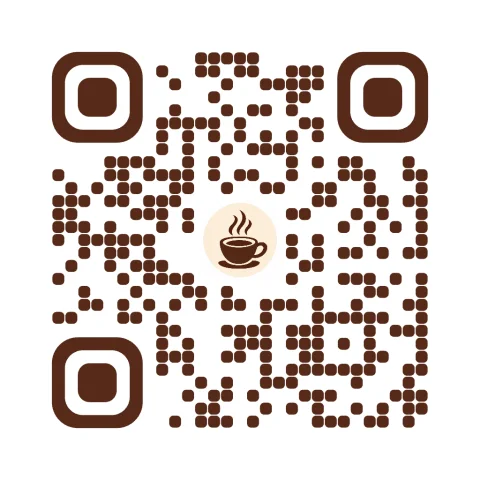
Café logo → menu QR code: inputBefore
Café logo → menu QR code: qr code resultQR code

Café logo → menu QR code

Link · logo 24% · rounded dots and corners

Scan check passed. Brown on cream keeps enough contrast for phone cameras.

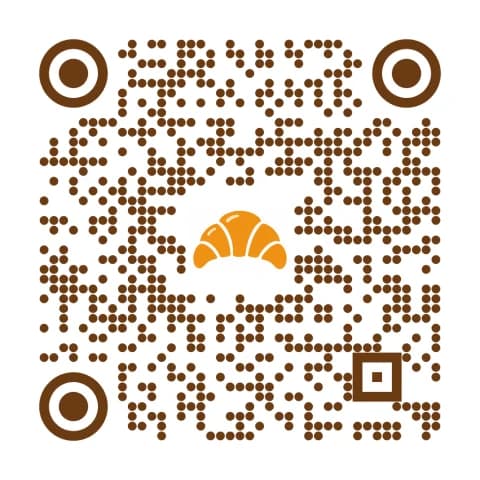
Bakery icon → Wi-Fi QR code: inputBefore
Bakery icon → Wi-Fi QR code: qr code resultQR code

Bakery icon → Wi-Fi QR code

Wi-Fi (WPA) · logo 22% · dots · circle eyes

Guests join by scanning; the code is static and never expires.

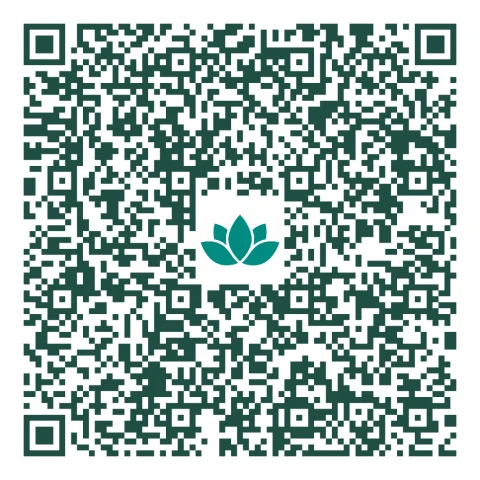
Studio mark → contact card QR: inputBefore
Studio mark → contact card QR: qr code resultQR code

Studio mark → contact card QR

Contact (vCard) · logo 20% · square

A long contact card makes a denser code, so a smaller logo keeps it scanning.

How to make a QR code with a logo

  1. Choose what the code opens: Link, Text, Wi-Fi, Contact, Email, Phone or SMS, and fill in the fields.
  2. Press Upload your logo (PNG with transparency works best; JPG, SVG and HEIC also work). It's placed in the centre on a small plate so it stays readable.
  3. Set the logo size, dot and corner style, and colours. Keep dots dark on a light background — the tool warns you when contrast is too low.
  4. Wait for “Scan check passed”, pick a size (512, 1024 or 2048 px) and download PNG, SVG for print, or JPG.

Why a QR code can have a logo in the middle and still scan

QR codes carry spare data called error correction. At level H about 30% of the code's codewords can be damaged or hidden and a phone still rebuilds the full message; level Q allows about 25%, M 15% and L 7%. A logo works by deliberately covering part of the centre and letting error correction fill it in. The finder squares in three corners must stay untouched, and the logo must stay safely under the correction budget, so this tool caps the logo width per level (30% of the code width at H, 24% at Q, 18% at M, 12% at L) and clears whole modules behind it instead of drawing the logo over half-visible dots. Because a busy logo, low contrast or a fancy dot style can still break a code, the generator then decodes its own output with a QR reader (jsQR) and only shows “Scan check passed” when the decoded text matches exactly. Short links make smaller, sturdier codes with bigger dots.

Facts at a glance

QuestionAnswer
PriceFree — no plan, no credits, no trial
Sign-upNot needed
WatermarkNone
ExpiryNever — static QR codes contain the data itself, so there's nothing to switch off
Scan limitNone
Content typesLink (URL), plain text, Wi-Fi (WPA/WEP/open), contact card (vCard 3.0), email, phone, SMS
LogoPNG, JPG, SVG, WebP, HEIC; up to 30% of the code width at error correction H, on an optional plate
StylesSquare, rounded or dot modules; square, rounded or circle corner eyes; separate colours; transparent background
DownloadsPNG and JPG at 512, 1024 or 2048 px; SVG (vector, logo embedded) for print
Scan checkEvery design is decoded with jsQR before download; mismatch shows a warning
PrivacyMade in your browser — your link and logo aren't uploaded or stored

Static vs dynamic QR codes

Static (this page)Dynamic (subscription generators)
Where the link livesInside the QR patternOn the provider's server; the code points to a short redirect
ExpiresNeverWhen the trial or subscription ends — printed codes stop working
Change the link after printingNo — make a new codeYes
Scan statisticsNo (add UTM tags to your link and see them in your analytics)Yes
Works if the generator shuts downYesNo
CostFreeUsually a monthly plan

Most menus, flyers, business cards, packaging and Wi-Fi signs don't need a dynamic code. If you want scan counts, put a UTM-tagged link in a static code and read it in Google Analytics.

Tips for a QR code that always scans

  • Size: print at least 2 × 2 cm (0.8 in); for a poster read from distance d, make it about d ÷ 10 wide.
  • Contrast: dark dots on a light background. Inverted (light on dark) codes fail on some older phone cameras.
  • Quiet zone: leave the white border around the code — the downloads include the 4-module margin the standard asks for.
  • Logo: a simple, bold mark on a plate scans better than a detailed photo. Use the slider to keep it as small as looks good.
  • Data: shorter text makes fewer, bigger modules. Use a short URL rather than a long one with tracking parameters where you can.
  • Print: use the SVG for business cards, labels and large formats so edges stay razor sharp at any size.

Frequently asked questions

How do I make a QR code with a logo for free?

Enter your link on this page, press Upload your logo, adjust size and colours, wait for “Scan check passed” and download PNG or SVG. It's free with no sign-up and no watermark.

Will my QR code expire?

No. These are static QR codes: the link is stored in the pattern itself, so they keep working forever, with no scan limit, even if this website disappeared.

Does a logo stop the QR code from scanning?

Not if it stays within the error-correction budget. The tool caps the logo size for the chosen level (30% of the width at H) and decodes the finished code before download to confirm it scans.

How big can the logo be?

Up to 30% of the code's width at error correction H, 24% at Q, 18% at M and 12% at L. Smaller logos scan more reliably, especially when printed small.

Can I download the QR code as SVG?

Yes. The SVG is a true vector with your logo embedded, so it prints sharp at any size and opens in Illustrator, Inkscape, Canva and Figma.

Can I make a Wi-Fi QR code with a logo?

Yes. Choose Wi-Fi, enter the network name and password and pick the security type. Guests scan it with the phone camera to join without typing the password.

Can I change the link after printing?

No — a static code always opens the same content. If the destination may change, point the code at a page you control and change that page instead.

Is my logo or link uploaded?

No. The code is generated in your browser; nothing you type or upload is sent to a server.

Why does the scan check fail?

Usually the logo is too large, the colours are too light, or the background is too dark. Make the logo smaller, use error correction H, or switch to darker dots on a light background.

Updated · By the imagetojpg.app team

More free tools

Image to JPGAny format — HEIC, AVIF, PNG, WebP, GIF, BMP — to JPG.HEIC to JPGiPhone photos to JPG that opens everywhere.HEIC to PNGLossless PNG from iPhone HEIC photos.AVIF to JPGSaved an .avif from the web? Make it a JPG.AVIF to PNGAVIF to PNG with transparency kept.HEIF to JPGSamsung Galaxy and camera .heif files to JPG.HEIC ConverterHEIC to JPG, PNG, WebP or PDF in one box — keep EXIF, drop GPS, no upload.PNG ConverterAny image to PNG, or PNG to JPG, WebP, PDF and multi-size ICO — no upload.WebP to PDFCombine WebP images into one PDF — reorder, A4/Letter, margins, no upload.PNG to PDFMerge many PNGs into one PDF with lossless, pixel-sharp pages — no upload.PNG to EPUBComics, picture books and scans to an EPUB e-book — cover, contents, no upload.Image to TextCopy the text out of any photo or screenshot — OCR on your device, 19 languages.Picture to WordExtract text from a photo or screenshot into an editable Word .docx — on your device.JPEG to JPG.jpeg, .jpe, .jfif → .jpg, lossless, in bulk. Optional EXIF removal.JFIF to JPGFix .jfif downloads — lossless, no re-compression.Compress JPGShrink JPGs to 100 KB, 200 KB or any size, with a before/after slider.Compress Image to KBMB to KB: any photo to 20, 50, 100 or 200 KB — exam forms, signatures.Resolution ChangerChange pixel size or DPI (72/150/300). Passport and Instagram presets.MP4 to JPGExtract JPG frames from MP4, MOV or WebM — video never uploaded.Image EnhancerAI sharpens detail and cleans JPEG blocks, 2× / 4× — free, no upload.Unblur ImageFix blurry photos, faces and text with AI — Light, Medium or Strong.Upscale ImageMake images bigger without blur: 2×, 4× or 4K, free, nothing uploaded.Free Image UpscalerAI upscale 2× or 4× with no credits, no sign-up, no watermark.4K Image UpscalerUpscale photos to 3840 px for 4K wallpapers, TVs and prints.Image to SVGPNG/JPG to SVG cut files for Cricut and Silhouette — colour layers, DXF, no upload.WhatsApp Sticker MakerPhoto to 512×512 WebP sticker: background removed, white outline, text — no app.Sticker MakerPhoto to sticker: background removed, white outline, transparent PNG or A4 print sheet.Handwriting to FontFill in a template, snap a photo, download your handwriting as a TTF font.Image to Pixel ArtPhoto to pixel art: pixel size, retro palettes, dithering — PNG or SVG, no upload.GIF CompressorShrink animated GIFs by up to 90% or fit them under a target MB/KB — no upload.GIF ResizerResize animated GIFs by percent or pixels; 128 emoji and 512 sticker crops.GIF to WebPAnimated GIF to animated WebP — usually far smaller, batch, no upload.GIF to APNGAnimated GIF to animated PNG with exact pixels and loop control.GIF Speed ChangerSpeed up, slow down, reverse or boomerang a GIF — lossless timing edits.Compress SVGSVGO optimizer that also repairs SVG code pasted from ChatGPT — presets, batch ZIP.SVG to DXFSVG to DXF in mm or inches for LightBurn, Silhouette and CAD — layers by colour.Gemini Watermark RemoverRemove the Nano Banana sparkle — exact pixels restored, no upload.PFP Collage Maker“Who is in the pfp of your apps” template — one labelled picture per app, 1:1 or 9:16.Movie Scene Collage3 photos as stacked widescreen movie stills — subtitles, grain, Pinterest & Story sizes.Image Text RemoverErase captions, date stamps and words — auto-detect, batch, no upload.Remove AI LabelsStrip C2PA, IPTC AI tags and prompts — pixels unchanged, no upload.AI Image DetectorIs this image AI? Reads Content Credentials, AI tags and prompts — no upload.Magic Wand ToolClick to select a colour area, then delete it or cut it out as a PNG.PNG Text GeneratorText to transparent PNG with gradient, outline, glow and 3D styles.Wallpaper GeneratorGradients, waves or your photo at your phone's or monitor's exact size.Color Picker from ImageClick any pixel for HEX, RGB and HSL, plus a palette.Passport Photo MakerUS, UK, EU, Canada, Australia sizes — checked JPG + 4×6 print sheet.Passport Size Photo3.5 × 4.5 cm photos: 32 on an A4 sheet or 8 on 4×6, free.US Visa & Passport Photo2x2 in / 600×600 JPG under 240 kB, checked — DS-160 and DV lottery.