



imagetojpg.app
Tools

PNG to PDF

Turn one PNG or a whole folder of PNGs into a single PDF — drag them into order, pick the page size, and keep screenshots and scans pixel-sharp. The PDF is made on your device, so nothing is uploaded.

or drop them here · paste with Ctrl/⌘+V

PNG, JPG, WebP, GIF or AVIF — as many as you like, one per page

Made on your device — images are never uploaded

In short

To convert PNGs to PDF, choose your PNG files above, drag them into order, pick a page size (A4, US Letter or the image's own size) and margin, then press Create PDF. Each PNG becomes one page of a single PDF. Lossless keeps every pixel, so text stays crisp. Nothing is uploaded and there's no page limit.

Three PNGs turned into PDF pages

Real results from this tool's PDF writer on our sample files. Left: the PNG (checks show transparency). Right: the PDF page as a reader shows it. Added together they make one 3-page PDF of 196 KB.

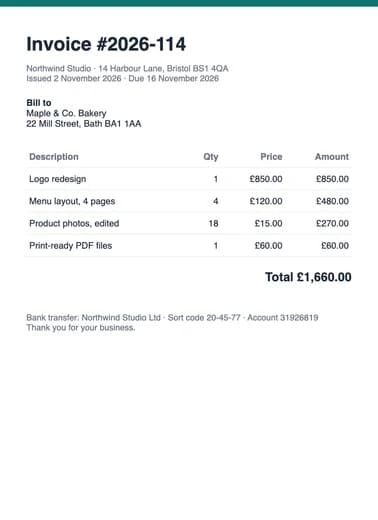
Scanned-style invoice: original PNGPNG
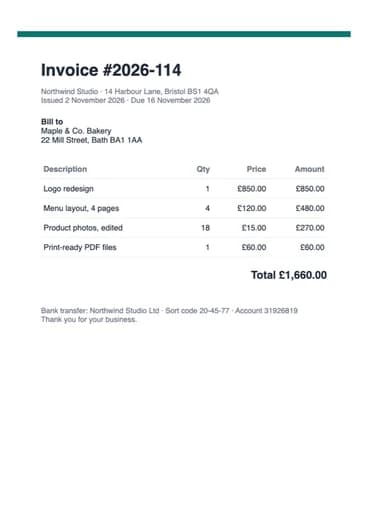
Scanned-style invoice: the resulting PDF pagePDF

Scanned-style invoice

invoice.png · 800×1100 · 75 KB

A4 · Auto → portrait · Small margin (10 mm)

→ 1 page · 73 KB

Small print and table lines stay exact on an A4 sheet, ready to print or submit.

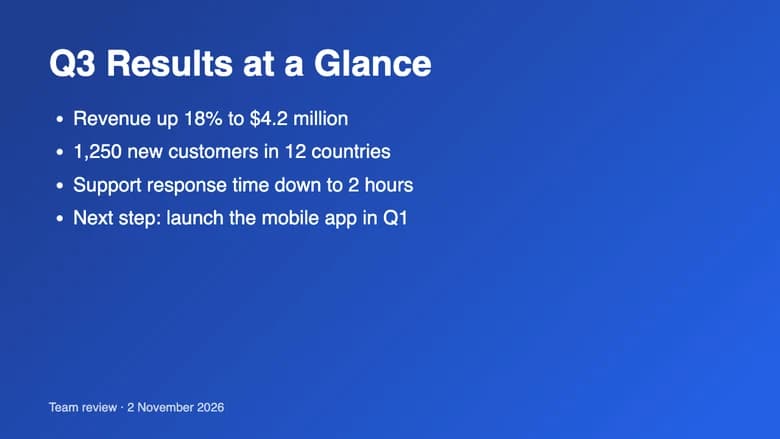
Slide exported as PNG: original PNGPNG
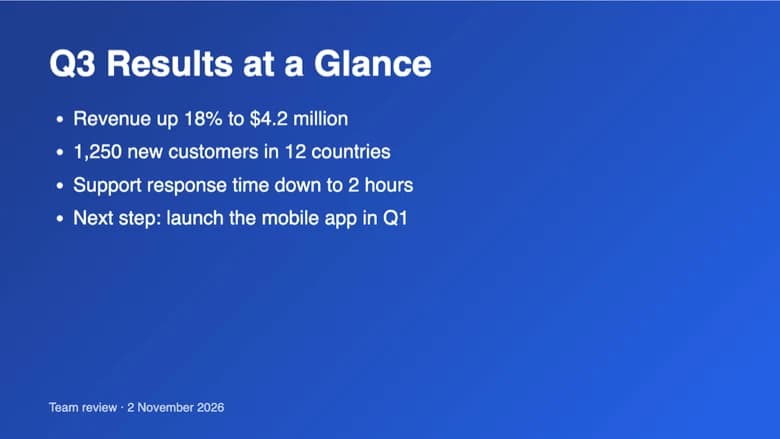
Slide exported as PNG: the resulting PDF pagePDF

Slide exported as PNG

slide.png · 1280×720 · 46 KB

Same as image · No margin

→ 1 page, 13.3 × 7.5 in · 106 KB

The page is the slide's own shape, edge to edge — no white bands above and below.

Transparent logo: original PNGPNG
Transparent logo: the resulting PDF pagePDF

Transparent logo

logo.png · 900×600 · alpha · 19 KB

US Letter · Auto → landscape · Large margin (20 mm)

→ 1 page · 18 KB

The see-through background prints as clean white paper instead of black.

Slide text at 400% from the Lossless PDF: clean edgesLossless (this page)
The same text at 400% after JPEG compression: blotchy halo around the lettersJPEG quality 85
The slide's text zoomed to 400%. Lossless pages keep the PNG's exact pixels; re-saving as JPEG, as most converters do, leaves a blotchy halo around every letter that shows up on screen and in print.

How to combine PNGs into one PDF

  1. Tap Choose PNG images, drop the files (or a whole selection from a folder) on the box, or paste a screenshot with Ctrl/⌘+V. JPG, WebP, GIF and AVIF can go in the same PDF.
  2. Put the pages in order: drag the cards, use the ← → buttons on a phone, or press Sort A→Z for numbered files like scan-01.png, scan-02.png.
  3. Choose Page size (A4, US Letter or Same as image), Orientation and Margin. Image quality starts on Lossless, which keeps the PNG's exact pixels; pick Balanced or Smaller for a lighter file.
  4. Name the file and press Create PDF. It downloads at once — one PNG per page, in the order on screen.

Why PNGs look sharper in this PDF

Most PNGs are screenshots, scans, slides, charts or logos: text and flat colour. Converters that re-save every image as JPEG put faint smudges around letters and lines, which is why a pasted screenshot often looks soft in the PDF. This page's default, Lossless, stores each page the way a PNG stores it — every pixel exact, compressed with the same deflate scheme PNG uses (FlateDecode with PNG row filters) — so text in the PDF is as crisp as in the original file, and every PDF reader opens it. Transparent areas, such as the background of a logo, become white, the colour of the paper. On A4 or Letter the image is scaled to fit inside the margins, centred and never stretched; Same as image makes each page the size of its picture at 96 pixels per inch. If the PDF is too big to email, switch to Balanced (JPEG, up to 2480 pixels on the long side, which is A4 at 300 dpi) or Smaller.

Which settings to use

You're makingPage sizeMarginImage quality
Screenshots or a chat thread as one documentSame as imageNoneLossless
Scanned pages, forms or receipts to print or submitA4 or US LetterSmallLossless or Balanced
Slides or charts exported as PNGSame as image, or A4 AutoNoneLossless
Photos saved as PNGA4, Auto orientationLargeBalanced
An email attachment under a few MBA4 or LetterSmallSmaller

A4 is 210 × 297 mm (595 × 842 points) and is the default outside the US and Canada; US Letter is 8.5 × 11 in (612 × 792 points). The Small margin is 10 mm and the Large margin 20 mm on every side. Auto orientation turns each page to match its image, so a landscape slide lands on a landscape page.

This page vs typical online PNG to PDF converters

FeatureThis pageTypical online converters
Where the PDF is madeIn your browser — PNGs never leave your devicePNGs are uploaded to a server, then deleted later
Many PNGs into one PDFYes, no file or page limitOften capped (e.g. 20 files) or a paid feature
Text and screenshotsLossless pages — every pixel keptUsually re-compressed as JPEG
Reorder pagesDrag, ← → buttons or Sort A→ZUsually drag only
Page sizeA4, US Letter or the image's own sizeVaries; often one fixed size
Live preview of each pageYes — the cards are drawn to scaleRare
Sign-up, ads, watermarkNoneCommon on free plans

Frequently asked questions

How do I combine multiple PNGs into one PDF?

Choose or drop all the PNG files on this page at once, put them in order with drag, the ← → buttons or Sort A→Z, and press Create PDF. Each PNG becomes one page of the same PDF. There's no limit on the number of files.

Is this PNG to PDF converter free?

Yes — free, with no sign-up, no watermark, no ads on the result and no daily limit.

Are my PNG files uploaded?

No. The PNGs are decoded and the PDF is written by JavaScript in your browser, so the files stay on your device. Once the page has loaded it works offline.

Will text in my screenshots stay sharp?

Yes. Lossless, the default here, stores every pixel exactly as in the PNG, so letters and thin lines don't get the blur that JPEG compression adds. Zoom into the PDF and it matches the original file.

Why is the lossless PDF bigger than with Balanced?

Lossless keeps every pixel, so a PDF made from photos can be several times the size of a JPEG-based one. For screenshots and documents the difference is small. If you need a smaller file, choose Balanced or Smaller.

What happens to a transparent PNG?

Transparent areas become white, the colour of the PDF page, so logos and cut-outs print cleanly instead of on a black or checkered background.

Can I make each page the same size as the PNG?

Yes. Choose Same as image and every page matches its picture (at 96 pixels per inch), with no white border unless you add a margin. Pick A4 or US Letter for standard paper.

Does it work on iPhone and Android?

Yes. Choose screenshots from Photos or Files, reorder them with the ← → buttons, and the PDF saves to Files or Downloads. It works in Safari, Chrome, Edge and Firefox.

Updated · By the imagetojpg.app team

More free tools

Image to JPGAny format — HEIC, AVIF, PNG, WebP, GIF, BMP — to JPG.HEIC to JPGiPhone photos to JPG that opens everywhere.HEIC to PNGLossless PNG from iPhone HEIC photos.AVIF to JPGSaved an .avif from the web? Make it a JPG.AVIF to PNGAVIF to PNG with transparency kept.HEIF to JPGSamsung Galaxy and camera .heif files to JPG.HEIC ConverterHEIC to JPG, PNG, WebP or PDF in one box — keep EXIF, drop GPS, no upload.PNG ConverterAny image to PNG, or PNG to JPG, WebP, PDF and multi-size ICO — no upload.WebP to PDFCombine WebP images into one PDF — reorder, A4/Letter, margins, no upload.PNG to EPUBComics, picture books and scans to an EPUB e-book — cover, contents, no upload.Image to TextCopy the text out of any photo or screenshot — OCR on your device, 19 languages.Picture to WordExtract text from a photo or screenshot into an editable Word .docx — on your device.JPEG to JPG.jpeg, .jpe, .jfif → .jpg, lossless, in bulk. Optional EXIF removal.JFIF to JPGFix .jfif downloads — lossless, no re-compression.Compress JPGShrink JPGs to 100 KB, 200 KB or any size, with a before/after slider.Compress Image to KBMB to KB: any photo to 20, 50, 100 or 200 KB — exam forms, signatures.Resolution ChangerChange pixel size or DPI (72/150/300). Passport and Instagram presets.MP4 to JPGExtract JPG frames from MP4, MOV or WebM — video never uploaded.Image EnhancerAI sharpens detail and cleans JPEG blocks, 2× / 4× — free, no upload.Unblur ImageFix blurry photos, faces and text with AI — Light, Medium or Strong.Upscale ImageMake images bigger without blur: 2×, 4× or 4K, free, nothing uploaded.Free Image UpscalerAI upscale 2× or 4× with no credits, no sign-up, no watermark.4K Image UpscalerUpscale photos to 3840 px for 4K wallpapers, TVs and prints.Image to SVGPNG/JPG to SVG cut files for Cricut and Silhouette — colour layers, DXF, no upload.QR Code with LogoYour logo in the middle, scan-checked, PNG or SVG — static, never expires.WhatsApp Sticker MakerPhoto to 512×512 WebP sticker: background removed, white outline, text — no app.Sticker MakerPhoto to sticker: background removed, white outline, transparent PNG or A4 print sheet.Handwriting to FontFill in a template, snap a photo, download your handwriting as a TTF font.Image to Pixel ArtPhoto to pixel art: pixel size, retro palettes, dithering — PNG or SVG, no upload.GIF CompressorShrink animated GIFs by up to 90% or fit them under a target MB/KB — no upload.GIF ResizerResize animated GIFs by percent or pixels; 128 emoji and 512 sticker crops.GIF to WebPAnimated GIF to animated WebP — usually far smaller, batch, no upload.GIF to APNGAnimated GIF to animated PNG with exact pixels and loop control.GIF Speed ChangerSpeed up, slow down, reverse or boomerang a GIF — lossless timing edits.Compress SVGSVGO optimizer that also repairs SVG code pasted from ChatGPT — presets, batch ZIP.SVG to DXFSVG to DXF in mm or inches for LightBurn, Silhouette and CAD — layers by colour.Gemini Watermark RemoverRemove the Nano Banana sparkle — exact pixels restored, no upload.PFP Collage Maker“Who is in the pfp of your apps” template — one labelled picture per app, 1:1 or 9:16.Movie Scene Collage3 photos as stacked widescreen movie stills — subtitles, grain, Pinterest & Story sizes.Image Text RemoverErase captions, date stamps and words — auto-detect, batch, no upload.Remove AI LabelsStrip C2PA, IPTC AI tags and prompts — pixels unchanged, no upload.AI Image DetectorIs this image AI? Reads Content Credentials, AI tags and prompts — no upload.Magic Wand ToolClick to select a colour area, then delete it or cut it out as a PNG.PNG Text GeneratorText to transparent PNG with gradient, outline, glow and 3D styles.Wallpaper GeneratorGradients, waves or your photo at your phone's or monitor's exact size.Color Picker from ImageClick any pixel for HEX, RGB and HSL, plus a palette.Passport Photo MakerUS, UK, EU, Canada, Australia sizes — checked JPG + 4×6 print sheet.Passport Size Photo3.5 × 4.5 cm photos: 32 on an A4 sheet or 8 on 4×6, free.US Visa & Passport Photo2x2 in / 600×600 JPG under 240 kB, checked — DS-160 and DV lottery.